If you’re using a TNT SIM online and haven’t completed registration yet, the biggest concern is simple: how to register online without getting blocked or falling for fake links. Many users try searching for TNT SIM registration and end up confused some links don’t work, others ask for unsafe information, and official instructions aren’t always clear. The sections below explain whether TNT SIM registration can be done online, what’s officially required, and how to complete the process safely so your SIM remains active and compliant.
Is Online SIM Registration Available for TNT in the Philippines?
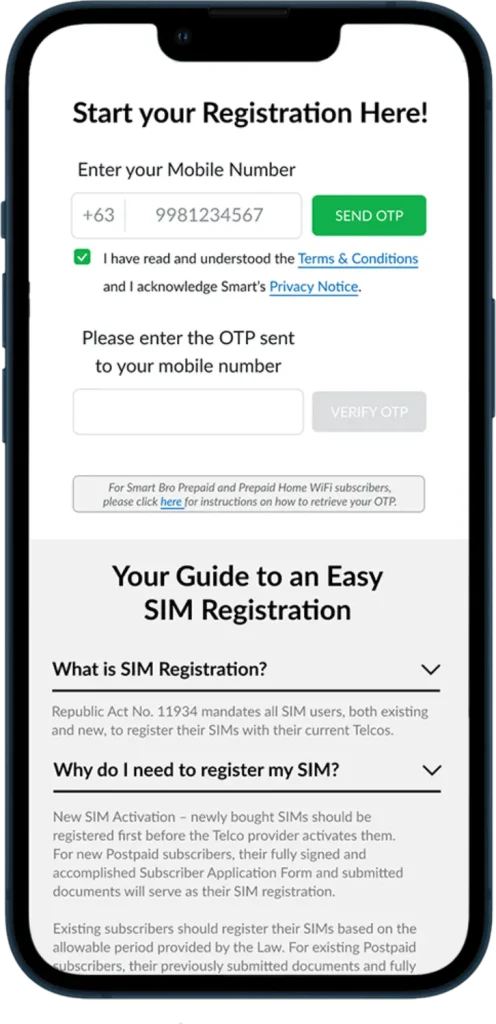
Yes online SIM registration is available for TNT (Talk ’N Text) users in the Philippines, but only through the Official Website operated by Smart Communications, the licensed Telecom Provider for TNT. Registration is completed via an Online Registration Portal where users submit personal details and a valid ID for verification. If online checks fail, in-store verification may be required before SIM Activation is finalized.
Government and Legal Requirements for TNT SIM Registration
TNT SIM registration is mandated by Philippine law and regulated under strict Telecom Compliance rules. Oversight is provided by the National Telecommunications Commission (NTC), while the legal basis is the SIM Registration Act, formally Republic Act No. 11934.
Key points users should know:
- Registration is required by law for all mobile subscribers.
- Personal data is collected and verified to prevent fraud and misuse.
- Only platforms operated by the telecom provider comply with Republic Act No. 11934.
Using any site outside the official provider’s system risks rejection and possible service issues.
Step-by-Step Process for Online TNT SIM Registration
The online process is designed to be simple and secure. Follow these steps on the official portal:
- Register on the portal using your TNT mobile number.
- Submit your personal details accurately.
- Upload a clear image of a valid government-issued ID.
- Confirm your submission and wait for verification.
- Receive confirmation once SIM Activation is completed.
Most users complete registration online within minutes if all details are correct.
Information Required for TNT SIM Registration
To complete registration, prepare the following details exactly as they appear on your ID:
Accurate information helps speed up Identity Verification and avoids delays.
Accepted Government-Issued IDs for TNT SIM Verification
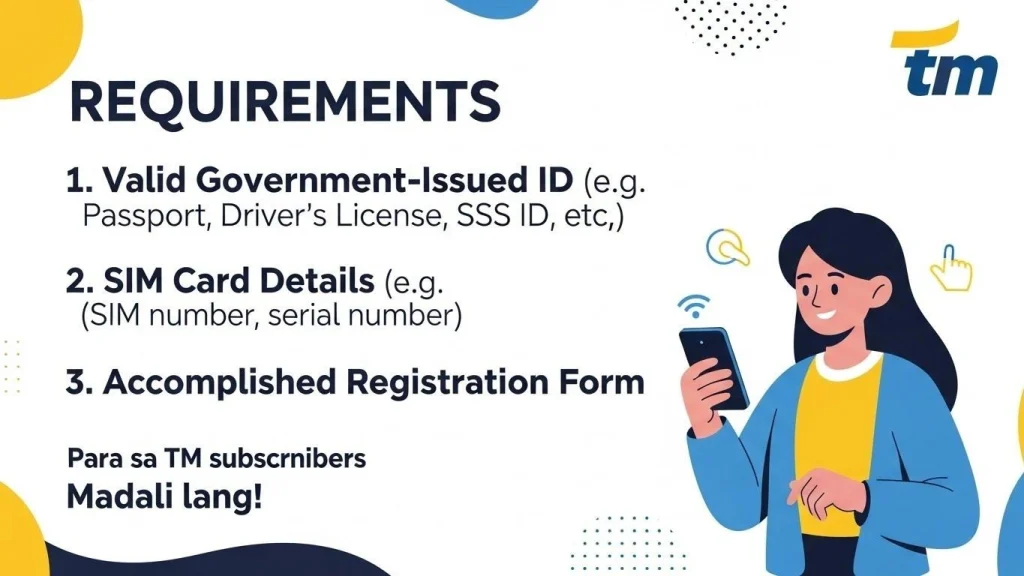
You must verify your identity using one of the following valid IDs:
Ensure the ID image is clear and unexpired. The system checks details through Identity Verification to confirm ownership before approving registration.
Bottom line: Register your TNT SIM only through the official online portal of Smart Communications, provide accurate details, and upload a valid ID. This ensures legal compliance and uninterrupted service.
TNT SIM Online Registration vs In-Store Registration
Choosing between Online Registration and visiting a Physical Store depends on how smoothly your details are verified. Most users can complete registration online, while others may need a Telecom Outlet or Smart Store if checks fail.
- Online Registration is faster and convenient when your details and ID pass verification.
- In-store registration is required if online checks fail, documents are unclear, or system issues persist.
Use online first; switch to a store only if prompted.
Common Problems During TNT SIM Registration and How to Fix Them
Registration delays usually happen for a few clear reasons. Here’s how to fix them quickly:
- Invalid ID: Use a valid, unexpired government ID with a clear photo.
- Incomplete Information: Recheck all fields and correct errors before re-submission.
- System Error: Wait and try again later; if it continues, contact Customer Support.
- Repeated failure: Proceed with a Store Visit at an authorized outlet for manual verification.
These steps resolve most issues without losing your number.
What Happens If You Don’t Register Your TNT SIM?
Missing the Registration Deadline leads to service restrictions. Consequences escalate if registration isn’t completed:
Register on time to stay connected and compliant.
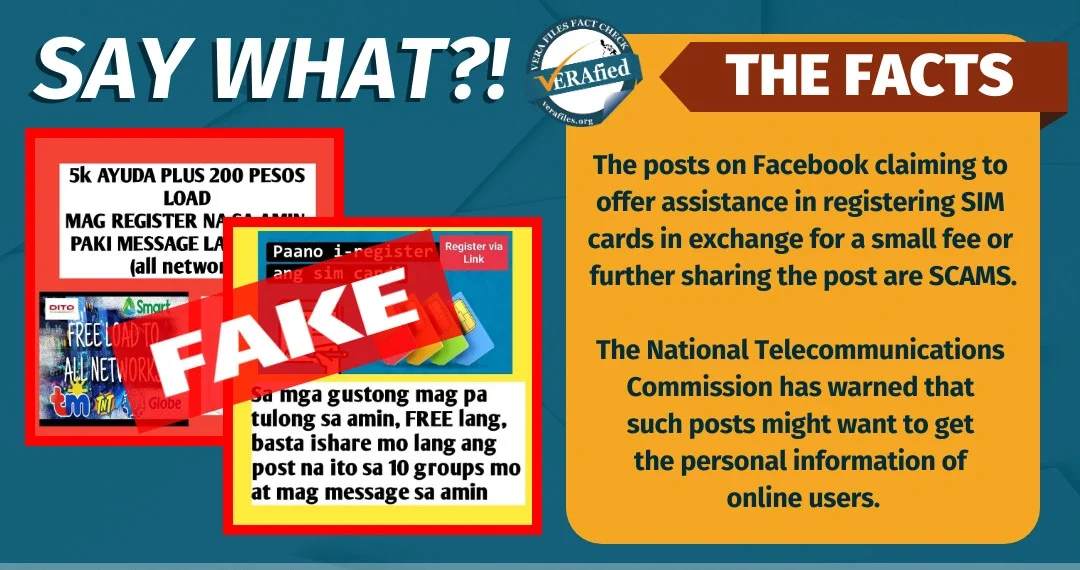
How to Avoid Fake TNT SIM Registration Links and Scams
Scammers target users with Fake Registration Links on Unauthorized Websites, using Phishing tactics and Scam Pages. Protect yourself by following these rules:
- Use Official Channels only
- Verify URLs check the Official Domain and HTTPS
- Keep Records of confirmations and reference numbers
- Protect Data Privacy and ensure Legal Compliance
If a site doesn’t clearly belong to the official provider, don’t proceed.
Completing TNT SIM registration through official channels is essential to avoid service suspension and SIM blocking. Register on time, use only authorized platforms, and keep confirmation records to ensure compliance and uninterrupted mobile service.