If your Smart SIM suddenly stopped working no signal, no calls, no data you’re not alone. In 2026, thousands of users in the Philippines are searching for one urgent answer:
“My Smart SIM is deactivated. Can I activate it again?”
The short answer is yes, in most cases but time matters.
This guide is written to help real users, not just search engines. You’ll learn:
- Why Smart SIMs get deactivated
- How to activate a deactivated Smart SIM step by step
- Whether reactivation is possible after the deadline
- When a Smart SIM becomes permanently blocked
- What to do right now to avoid losing your number
Why Is My Smart SIM Deactivated?
Smart SIM deactivation usually doesn’t happen randomly. It’s almost always linked to SIM Registration Law compliance.
Your Smart SIM may be deactivated if:
- You missed the SIM registration deadline
- Your registration was incomplete or rejected
- Your ID or selfie did not meet verification standards
- Personal details didn’t match your ID
- You never received or confirmed registration approval
Once deactivated, users typically notice:
- “No Service” or “Emergency Calls Only”
- Calls and SMS failing
- Mobile data not working
- OTPs not arriving
This deactivation is often temporary at first, which means you still have a chance.
Smart SIM Deactivated: How to Activate Again (Step-by-Step)
If your SIM is temporarily deactivated, follow this process carefully. Rushing or repeating mistakes can reduce your chances of reactivation.
Step 1: Use the Official Smart Registration System
Always register only through the official system provided by Smart Communications. Avoid third party or “fast registration” sites they can permanently compromise your SIM.
Step 2: Enter the Same Mobile Number
Use the exact Smart number that was deactivated. Do not try a different SIM or device during registration.
Step 3: OTP Verification
If the SIM is still within the grace period, you may receive an OTP.
If OTP doesn’t arrive:
- Restart your phone
- Move to an area with strong signal
- Wait a few hours and retry
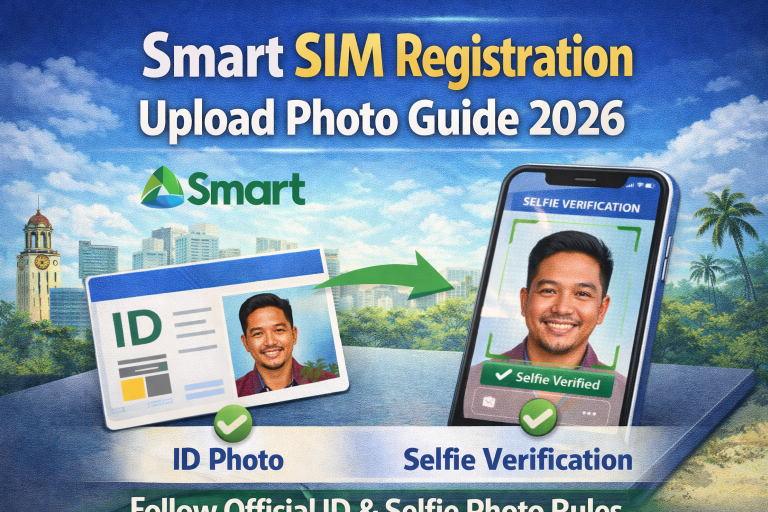
Step 4: Upload a Valid Government ID
Your ID must be:
- Government-issued
- Not expired
- Clearly readable
- Fully visible (no cropped edges)
Step 5: Take a Clear Selfie
Your face must:
- Be well lit
- Match the ID photo
- Have no hats, masks, or filters
Step 6: Submit and Wait
After submission, approval usually takes 24 to 72 hours.
Once approved, the SIM is automatically reactivated.
Smart SIM Reactivation After Deadline: Is It Still Possible?
This is one of the most searched questions in 2026 and the answer depends on timing.
Yes, reactivation may be possible after the deadline if:
- Your SIM is in temporary deactivation
- You are within the grace period
- You complete registration correctly on the first retry
No, reactivation becomes unlikely if:
- The SIM has been inactive for an extended period
- The number is flagged as permanently blocked
- You ignored multiple deactivation warnings
👉 Key insight:
The deadline doesn’t always mean instant permanent loss, but every day of delay reduces your chances.
How Long Before a Smart SIM Is Permanently Blocked?
While Smart does not publicly publish an exact countdown, user cases in 2026 generally follow this pattern:
- First phase: Temporary deactivation
- Second phase: Limited reactivation window
- Final phase: Permanent block and number retirement
Once permanently blocked:
- The number cannot be recovered
- Re registration is no longer allowed
- Any accounts linked to that number (banking, apps, OTPs) may be lost
This is why early action is critical.
Common Mistakes That Prevent Reactivation
Many users fail reactivation not because they’re late but because of avoidable errors:
- Uploading blurry or low-resolution photos
- Using nicknames instead of legal names
- Submitting multiple failed attempts in one day
- Switching phones during registration
- Falling for fake registration links
Fixing these issues before retrying significantly improves approval chances.
What You Should Do Right Now (Action Plan)
If your Smart SIM is deactivated today:
- Stop trying random fixes
- Prepare a clean, valid ID
- Take a proper selfie in daylight
- Register only through official Smart channels
- Complete the process in one careful attempt
Speed matters but accuracy matters more.
Final Thoughts: Don’t Wait Until It’s Too Late
A deactivated Smart SIM does not always mean permanent loss but waiting too long often does.
If you act within the allowed window and submit correct information, reactivation is still achievable in 2026.
If you delay, your number and everything linked to it may be gone for good.
Best advice:
👉 Treat SIM reactivation as urgent, not optional.